
Environments
Managing environment variables and configurations in Yasumu.
Environments
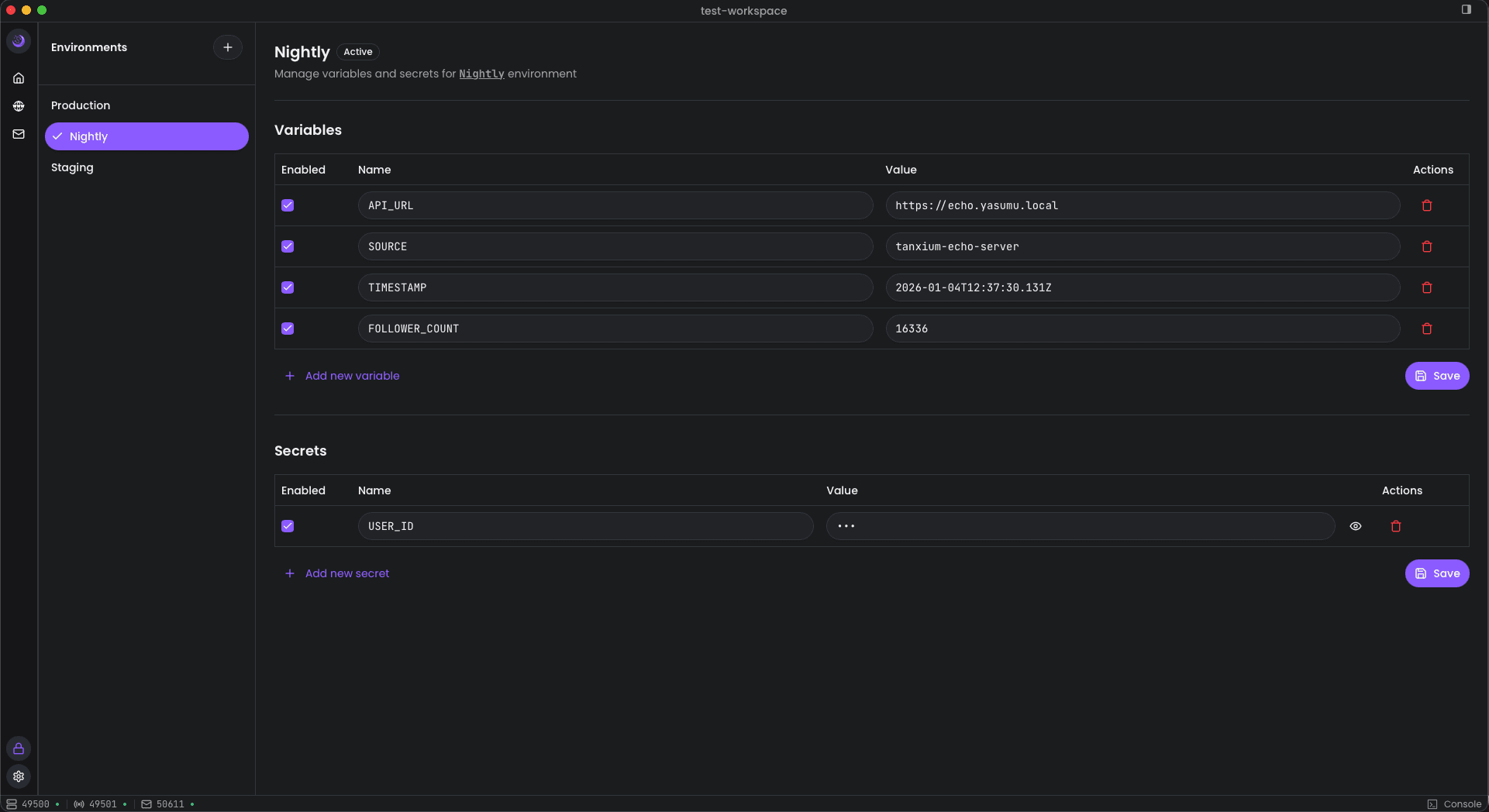
Environments in Yasumu allow you to manage different configurations for development, staging, production, and other contexts. Switch between environments to test your APIs against different backends without modifying individual requests.
What Are Environments?
An environment is a collection of variables and secrets that define context-specific values:
- Base URLs — Different API endpoints per environment
- API Keys — Different credentials per environment
- Configuration — Environment-specific settings
Environment File Structure
Environments are stored in the environment/ folder as .ysl files:
yasumu/
└── environment/
    ├── h49ehcz1o96rglpym0qjqr3a.ysl   # Production
    ├── z85bde4ytdta7d1u0ndjfoh6.ysl   # Staging
    └── ipapmufxwgm558jh1cpfbkwe.ysl   # Nightly
File Format
@environment

metadata {
  id: "ipapmufxwgm558jh1cpfbkwe"
  name: "Nightly"
}

variables [
  {
    key: "API_URL"
    value: "https://echo.yasumu.local"
    enabled: true
  },
]

secrets [
  {
    key: "API_KEY"
    value: ""
    enabled: true
  },
]
Sections
| Section | Description |
|---|---|
metadata | Environment ID and display name |
variables | Non-sensitive configuration values |
secrets | Sensitive values (stored empty in files) |
Variables
Variables are key-value pairs that can be used in requests:
variables [
  {
    key: "API_URL"
    value: "https://api.example.com"
    enabled: true
  },
  {
    key: "API_VERSION"
    value: "v1"
    enabled: true
  },
]
Each variable has:
key— Variable name used in requests (e.g.,{{API_URL}})value— The actual valueenabled— Whether the variable is active
Secrets
Secrets are sensitive values like API keys and tokens:
secrets [
  {
    key: "API_KEY"
    value: ""
    enabled: true
  },
]
Secret Storage
Secret values are never written to .ysl files. The value
field is always stored as an empty string. Actual secret values are
stored securely and locally on your machine, separate from version
control.
This design ensures:
- Safe to commit —
.yslfiles can be safely committed to Git - No accidental leaks — Secrets never appear in version control
- Local override — Each team member manages their own secret values
Using Variables
Reference environment variables in your requests using double curly braces:
url: "{{API_URL}}/users?apiKey={{API_KEY}}"When you send a request, Yasumu resolves:
{{API_URL}}from thevariablesarray{{API_KEY}}from thesecretsarray (using your local value)
Switching Environments
Switch environments using the environment selector in the toolbar. When you switch environments, all variable references are resolved using the new environment's values.
Example Environments
Development
@environment

metadata {
  id: "dev123"
  name: "Development"
}

variables [
  {
    key: "API_URL"
    value: "http://localhost:3000/api"
    enabled: true
  },
]

secrets [
  {
    key: "API_KEY"
    value: ""
    enabled: true
  },
]
Production
@environment

metadata {
  id: "prod456"
  name: "Production"
}

variables [
  {
    key: "API_URL"
    value: "https://api.example.com"
    enabled: true
  },
]

secrets [
  {
    key: "API_KEY"
    value: ""
    enabled: true
  },
]
Best Practices
- Use clear variable names —
API_URLis better thanURL1 - Separate secrets from variables — Use secrets for anything sensitive
- Commit your environments — The
.yslfiles are safe to commit since secrets are empty - Share variable structure — Keep the same variable keys across environments
- Enable/disable as needed — Use the
enabledflag to temporarily disable variables